How to track job applications: templates & workflows

If you have fewer than 15 active applications, open Google Sheets right now and create six columns: Company, Job Title, Date Applied, Status, Source URL, Next Action Date. That is your tracker. If you are juggling 15 or more roles simultaneously, or running multiple interview loops, a dedicated app like Teal or an Airtable base with automated reminders will save you hours every week.
Every tracker, regardless of format, needs those same six fields as a minimum. Without a dated “Next Action” column, the whole thing becomes a passive log rather than a live pipeline.
Who should use which method:
- Spreadsheet (Google Sheets or similar): fewer than 15 active applications, no collaboration needed, prefer simplicity, zero budget
- Dedicated tracker app (Teal, Notion, Airtable): 15+ active applications, multiple interview stages running in parallel, want automated reminders or browser-capture, or sharing progress with a career coach
- Kanban board (Trello): visual thinkers who prefer drag-and-drop status columns over rows and filters
Key takeaways
A spreadsheet covers most searches, but a dated “Next Action” field on every row is what separates an active pipeline from a passive log.
| Point | Details |
|---|---|
| Choose by volume | Use Google Sheets for fewer than 15 applications; switch to a dedicated tracker at 15 or more. |
| Six mandatory fields | Every entry needs: Company, Job Title, Date Applied, Status, Source URL, and Next Action Date. |
| Follow-up timing | Wait 10–14 business days (no closing date) or 3–5 business days after a stated closing date before following up. |
| Weekly review ritual | Spend 15 minutes every Friday updating statuses, archiving ghosted roles, and exporting a CSV backup. |
| Findjobsza as your feed | Use daily WhatsApp alerts and category pages on Findjobsza to add new rows to your tracker without manual searching. |
Table of Contents
- How to track job applications: comparing your best options
- Starter templates you can copy in minutes
- What every tracker entry must record
- How to manage follow-ups so you don’t lose opportunities
- How to choose the right tracking method for your search
- Two workflows you can copy today
- South Africa context: timing, portals, and where Findjobsza fits
- The part most tracking guides get wrong
- Findjobsza pairs with any tracker you choose
- Sources
- FAQ
How to track job applications: comparing your best options
A five-step tracking system — central tracker, standardised status pipeline, interaction logging, weekly review, and performance tracking — prevents lost opportunities and cuts the administrative friction that kills most job searches. The table below maps the most practical tools against the dimensions that actually matter.
Google Sheets pros and cons
- Pros: zero cost, instant setup, shareable, works on any device with a browser
- Cons: no built-in reminders, manual data entry every time, no status automation
Notion pros and cons
- Pros: flexible views (table, board, calendar), linked databases, strong templates community
- Cons: steeper learning curve, can become over-engineered quickly
Trello pros and cons
- Pros: drag-and-drop simplicity, visual pipeline at a glance, Butler automation is genuinely useful
- Cons: row-level detail is harder to see than in a spreadsheet, limited filtering
Airtable pros and cons
- Pros: spreadsheet feel with database power, automations trigger emails and reminders, rich filtering
- Cons: free tier limits automations; can feel like overkill for a short search
Teal pros and cons
- Pros: browser extension captures job listings in one click, auto-populates fields, built for job seekers
- Cons: some advanced features sit behind a paywall, less flexible than a custom Airtable build
When dedicated or AI-enhanced trackers handle autofill and automated reminders, they cut the manual entry that causes most people to abandon their system mid-search. For South African job seekers, all five tools are fully accessible with no regional restrictions.
Starter templates you can copy in minutes
You do not need to build from scratch. Each of the three setups below takes under 15 minutes to get running.
Google Sheets template
- Open a new Google Sheet and name it “Job Search 2026.”
- Paste these headers into row 1: Company | Job Title | Date Applied | Status | Source URL | Next Action Date | Notes.
- Freeze row 1 (View → Freeze → 1 row) so headers stay visible as you scroll.
- Add a dropdown for Status: select the Status column, go to Data → Data Validation, and enter values: Applied, Phone Screen, Interview, Offer, Rejected, Ghosted.
- Paste any Findjobsza listing URL directly into the Source URL column so you can reopen the original posting before an interview.
Mobile tip: install the Google Sheets app. You can log a new application from your phone in under 60 seconds while the confirmation email is still open.
Notion starter
- Duplicate a free “Job Application Tracker” template from the Notion template gallery (search “job tracker” inside Notion).
- Switch to Table view and confirm these properties exist: Company, Role, Applied Date, Stage, Link, Follow-Up Date.
- Add a “Notes” text property for interview prep and recruiter names.
- Set a Reminder on the Follow-Up Date property so Notion pings you on the right day.
- Paste Findjobsza listing URLs into the Link field for every role you add.
Trello board
- Create a new board called “Job Search Pipeline.”
- Add these lists (columns): Saved, Applied, Phone Screen, Interview, Offer, Closed.
- Create one card per application; add the job URL, application date, and a due date (your follow-up deadline) to each card.
- Enable the Calendar Power-Up to see all due dates in one view.
- Move cards left to right as the status changes. Drag a card to “Closed” when you get a decision.
Pro Tip: Test every new tracker with the 60-second rule. Open it on your phone immediately after submitting an application and try to log the entry. If it takes longer than 60 seconds, simplify the template — remove any field you cannot fill in under a minute. Complexity kills consistency.
What every tracker entry must record
Six fields are non-negotiable. Miss any one of them and the tracker starts working against you.
Mandatory fields:
- Company: the legal or trading name, not just “that logistics company.” Example: Shoprite Holdings.
- Job Title: exact title from the posting. Example: Junior Data Analyst (Ref: JDA-2026-04).
- Date Applied: the calendar date you submitted. Example: 14 March 2026.
- Status: one of a fixed set of values (Applied, Phone Screen, Interview, Offer, Rejected, Ghosted). Keeping this consistent lets you filter and count at a glance.
- Source URL: the direct link to the job posting. Example: findjobsza.co.za/it-jobs/junior-data-analyst. Postings disappear; save the URL before it does.
- Next Action Date: a concrete, dated task. Example: Follow up by 1 April 2026. This single field converts a passive log into a live pipeline. Any row without a next action date should be treated as inactive and either followed up or archived.
Helpful optional fields:
- Recruiter or hiring manager name and contact
- Salary range or package advertised
- Application source (Findjobsza, LinkedIn, company website)
- Resume version used (e.g., “CV-DataAnalyst-v3”)
- Interview dates and format (phone, video, panel)
- Notes (anything said in a call, questions asked, impressions)
Keeping interaction notes prevents the embarrassing moment when a recruiter calls unexpectedly and you cannot remember which role or conversation they are referring to.
How to manage follow-ups so you don’t lose opportunities

Timing matters more than most candidates realise. South African follow-up best practice is clear: wait an appropriate period if the advert gives no closing date, or a few business days after a stated closing date before reaching out. Following up earlier reads as impatient; waiting longer lets the role fill without your name staying visible.
Follow-up framework:
- First follow-up: send after the timing window above. Subject line: Application Follow-Up: [Exact Job Title] – Ref [Number]. Keep the body to three sentences: who you are, which role, one specific reason you are a strong fit.
- Second follow-up: wait another 7–10 business days. One sentence acknowledging you know they are busy, one sentence reaffirming your interest.
- Mark as Ghosted: if there is no response after two follow-ups and 30+ business days, move the status to “Ghosted” and archive the row. Do not delete it; the data is useful for your weekly review.
Micro-email template 1 (no closing date):
Subject: Application Follow-Up: Marketing Coordinator – Ref MC-2026 Hi [Name], I applied for the Marketing Coordinator role on [date] and wanted to confirm receipt and reiterate my interest. My background in [specific skill] maps directly to [specific requirement in the job ad]. Please let me know if you need anything further from my side.
Micro-email template 2 (after closing date):
Subject: Follow-Up: Sales Executive Application – Ref SE-04 Hi [Name], the closing date for the Sales Executive role passed on [date]. I remain very interested and would welcome any update on next steps when convenient.
Pro Tip: Sync your Next Action Date field to Google Calendar by adding a calendar reminder the same day you log the application. On mobile, a single 30-second calendar entry means you will never miss a follow-up window.
How to choose the right tracking method for your search
Run through this checklist before committing to a tool.
- Volume: fewer than 15 active applications? A spreadsheet covers everything. Fifteen or more, especially with multiple interview loops running at once? Move to a dedicated tracker.
- Speed to update: can you log a new application in under 60 seconds? If not, the system is too complex and you will stop using it within a week.
- Collaboration: sharing progress with a career coach, mentor, or accountability partner? Notion and Airtable handle this cleanly; Google Sheets works too with a shared link.
- Cost tolerance: free tools (Google Sheets, Trello free tier, Notion free tier) handle most searches. Paid tiers add automation and analytics, worth it once you are running 20+ applications.
- Automation needs: if you want email reminders, browser-capture, or calendar sync without manual effort, Teal or Airtable automations earn their keep.
Privacy and backups: export your tracker to a local file (CSV or PDF) at least once a week. Cloud tools can have outages, and a job search is not the time to lose your data. Google Sheets exports in one click via File → Download → CSV.
Two workflows you can copy today
Low-volume workflow (Google Sheets, fewer than 15 applications)
- Find a role on Findjobsza or another portal.
- Open your Google Sheet and add a new row immediately.
- Fill in: Company, Job Title, today’s date, Status = “Applied,” the source URL, and a Next Action Date 10–14 business days out.
- Submit the application.
- Set a Google Calendar reminder matching the Next Action Date.
- Every Friday, spend 15 minutes reviewing open rows: update statuses, move expired next-action dates forward, and archive anything ghosted for 30+ days.
Example row:
| Company | Job Title | Date Applied | Status | Source URL | Next Action Date |
|---|---|---|---|---|---|
| Woolworths SA | HR Coordinator | 10 March 2026 | Applied | findjobsza.co.za/human-resources-jobs | 28 March 2026 |
Useful Google Sheets formula: =COUNTIF(D:D,"Applied") in a summary cell gives you a live count of open applications without scrolling.
High-volume workflow (Airtable or Notion, 15+ applications)
- Use a browser extension (Teal’s extension or a bookmarklet) to capture the job listing in one click; fields auto-populate from the page.
- Review and correct the auto-populated fields; add the Next Action Date and any recruiter contact details.
- Set an automated reminder in Airtable (Automations → When date arrives → Send notification) or a Notion reminder on the Follow-Up Date property.
- Each Monday, open the Kanban view and check every card in “Applied” and “Phone Screen.” Move stale cards to “Ghosted” if the timing window has passed with no response.
- Once a week, check your status breakdown: how many applications are in each stage? A healthy pipeline has at least a few cards in Phone Screen or Interview at any given time.
Pro Tip: When you notice yourself dreading the tracker update, that is the friction threshold signal. It usually hits between 10 and 20 active applications. At that point, switch to a tool with browser capture or autofill rather than trying to push through with manual entry. The goal is a system you actually use.
South Africa context: timing, portals, and where Findjobsza fits
South African employers vary widely in response speed. Corporate and government roles often take four to six weeks from closing date to first contact; smaller businesses and agencies can move in days. That range makes a dated Next Action field even more important than it sounds on paper.
Completing your profile and setting job alerts on South African portals turns passive browsing into an active pipeline. Portals send automatic notifications when new roles match your criteria, which means new rows flow into your tracker without you having to check manually every day.
Practical Findjobsza workflow for South African job seekers:
- Subscribe to Findjobsza’s daily WhatsApp alerts. Each morning, new listings arrive before you open your laptop.
- When a role catches your eye, copy the listing URL and paste it into your tracker’s Source URL field before you apply.
- Browse by category (admin jobs, IT roles, logistics) to keep your tracker focused on one sector at a time rather than scattering applications across unrelated fields.
- No CV upload or registration is required on Findjobsza, so the time from “found a role” to “logged in tracker” is under two minutes.
For jobs in demand across South Africa, use the category pages to identify which sectors are hiring actively, then weight your tracker toward those roles.
The part most tracking guides get wrong
Most advice on tracking job applications focuses on the tool. Pick the right spreadsheet, use the right app, set up the right columns. That framing misses the actual problem.
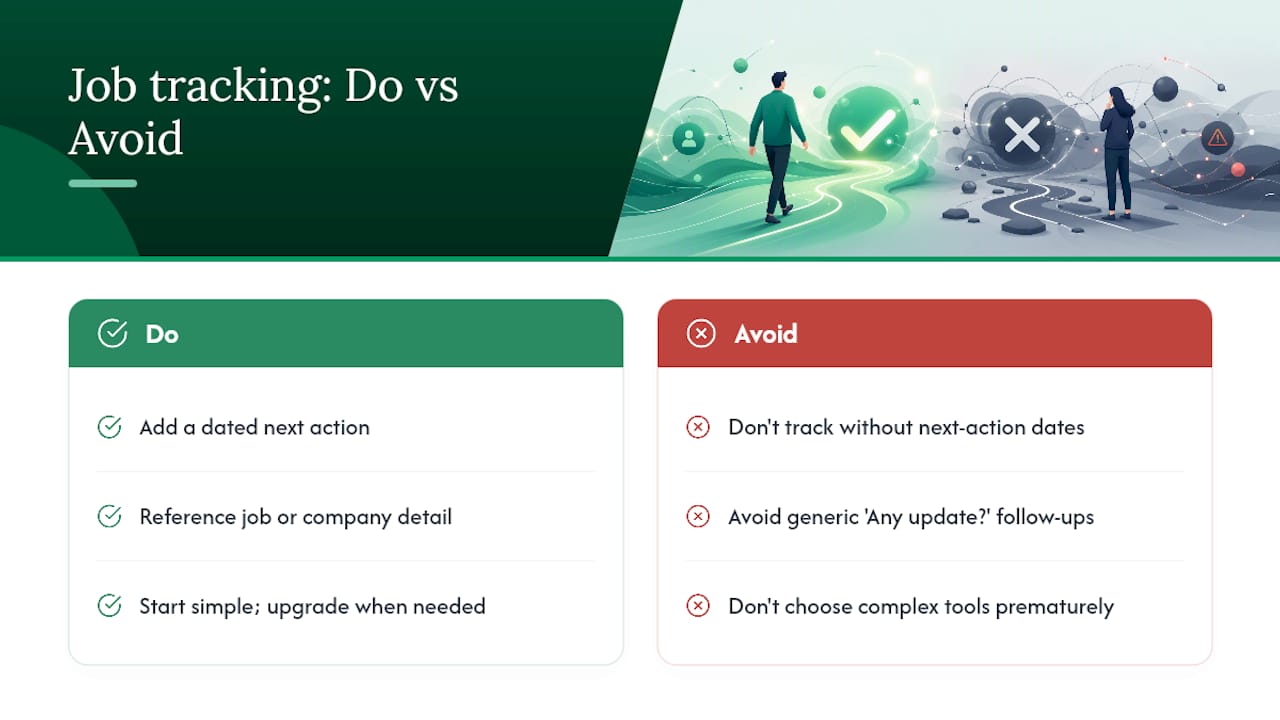
The real failure point is not the tool. It is the absence of a dated next action on every single row. A tracker without next-action dates is a graveyard of past effort, not a pipeline. You can have the most elaborate Airtable base with colour-coded statuses and automated reminders, and it will still fail you if half the rows have no concrete task attached to them.
The second thing most guides understate: follow-ups that add value get responses; follow-ups that just ask “any update?” rarely do. Referencing something specific from the job description, or noting a recent company announcement, takes 90 seconds of research and meaningfully changes the response rate. That is the difference between a follow-up that feels like noise and one that feels like a candidate worth calling back.
Start with the simplest system that passes the 60-second test. Migrate to a more powerful tool only when the volume genuinely demands it, not because a more complex setup feels more productive.
Findjobsza pairs with any tracker you choose
The tracker you build is only as good as the roles flowing into it. Findjobsza removes the discovery friction that slows most South African job seekers down: no CV uploads, no registration, and new listings updated daily across every major sector.
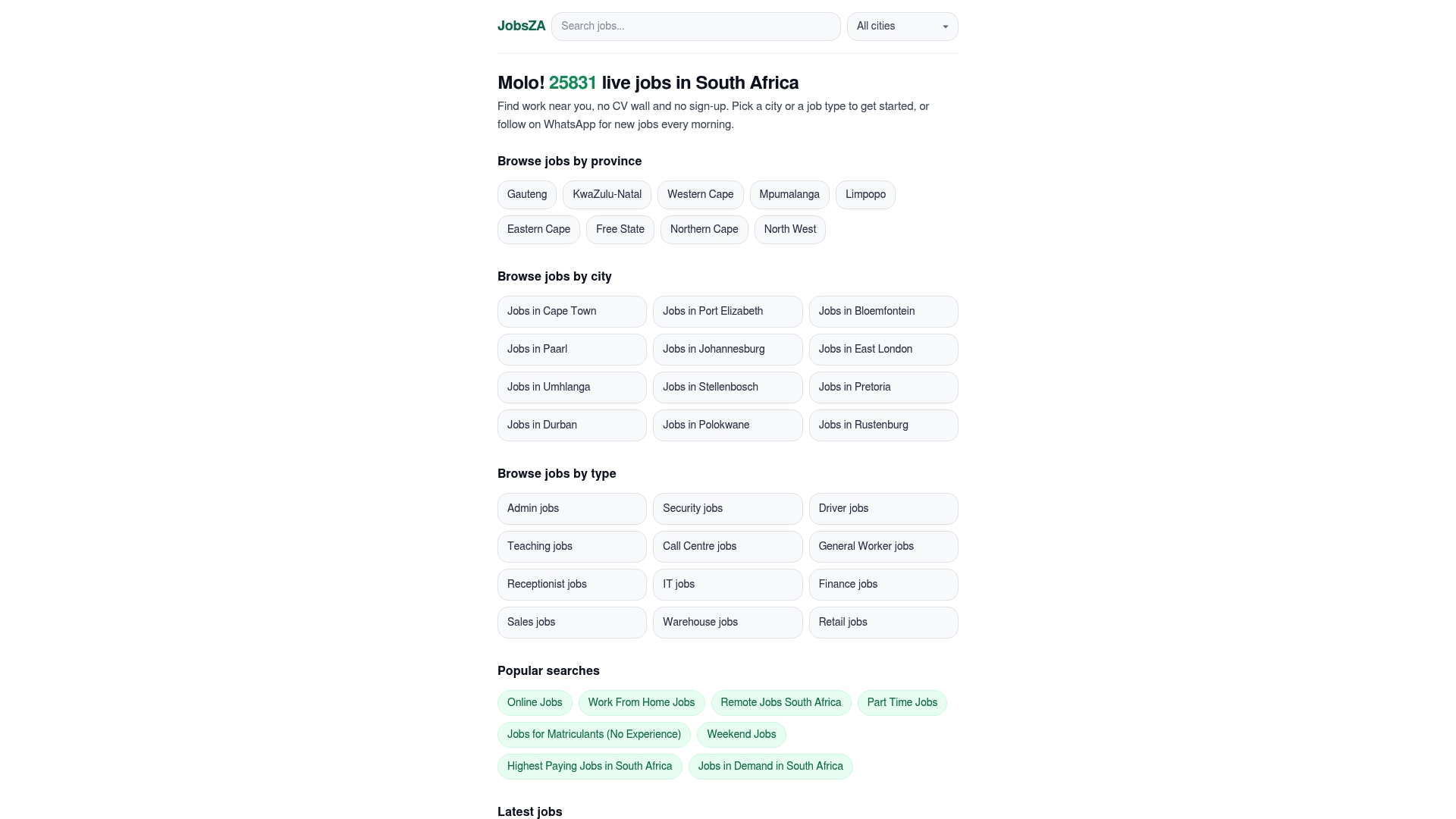
The practical pairing is straightforward. Each morning, Findjobsza’s WhatsApp alert delivers fresh listings to your phone. You open the ones that fit, copy the URL, and paste it into your tracker’s Source URL field before applying. The whole process takes under two minutes per role. For online and remote roles, the category page filters by work-from-home listings so you are not scrolling through irrelevant results. If you are targeting in-demand roles specifically, that category page shows you where hiring is active right now, which helps you weight your tracker toward applications with the best odds. Browse Findjobsza’s category pages today and add your first listing to your tracker within the next five minutes.
Sources
- Job hunting made easier: how to use South Africa’s top job portals and set up job alerts - ICB
- How to Follow Up on Your Job Application Status Without Being Annoying - Jobrato
- Job Search Tracking Guide | Ardent Workshop
FAQ
Can you track your own application status?
Yes. Most South African job portals let you log in and check status under your profile. For applications submitted directly, your personal tracker (spreadsheet or app) is the only reliable record, since many employers do not send status updates proactively.
Which job application tracker works best?
Google Sheets is the best starting point for most job seekers: free, fast to set up, and accessible on any device. For searches with 15 or more active applications, Teal or Airtable add automation and browser capture that save meaningful time each week.
How do I track my job applications in South Africa?
Open a Google Sheet, add six columns (Company, Job Title, Date Applied, Status, Source URL, Next Action Date), and log every application the moment you submit it. Use Findjobsza’s daily WhatsApp alerts to feed new roles into your tracker each morning without manual searching.
What is a job application tracker?
A job application tracker is a system, whether a spreadsheet, app, or Kanban board, that records every role you apply for along with its current status and your next scheduled action. Its purpose is to convert a passive list of past applications into an active pipeline with dated tasks.
How often should I update my tracker?
Update it immediately after every application, every recruiter call, and every interview. A 15-minute weekly review on Fridays catches anything missed and keeps next-action dates current.